Convert TCX to FIT
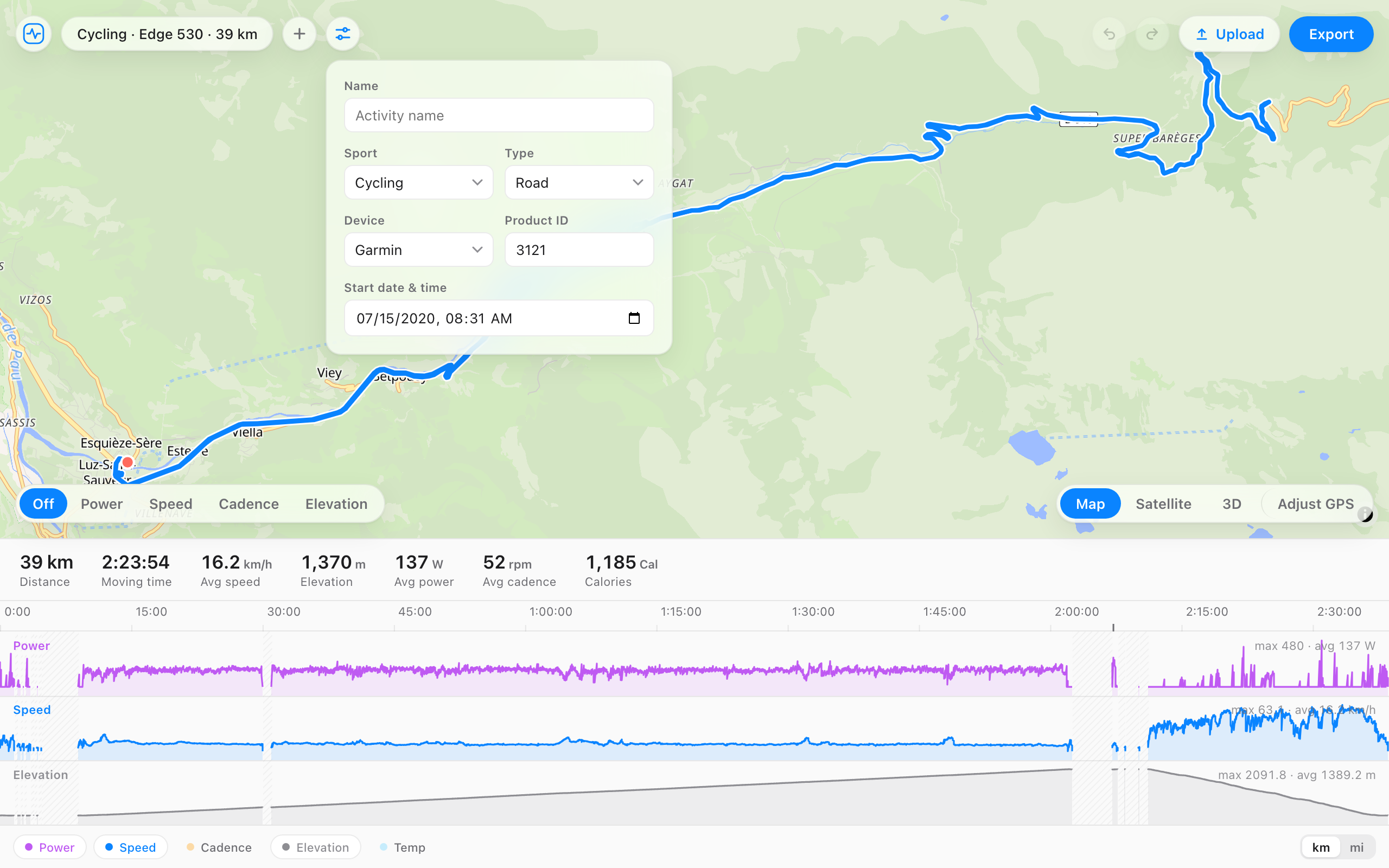
Open a .tcx file and it becomes a FIT activity, with the track, distance, heart rate, cadence, and power it carried. Look it over on the map and timeline, fix anything that needs it, and export a compact .fit file.
How to convert
- Open the .tcx file, or drag it onto the page. It opens as a FIT activity on the map and timeline.
- Fix anything you want first: cut a section, smooth a dropout, or set the sport and device in the details panel.
- Press Export to download the .fit file.
What carries over
| From the TCX | In the FIT file |
|---|---|
| Position, time, elevation | Kept for every trackpoint, one record per second. |
| Distance | Kept from the file when the trackpoints carry it, otherwise calculated from the GPS track. |
| Speed | Kept when the file has it, otherwise calculated. |
| Heart rate and cadence | Kept, including running cadence. |
| Power | Kept from the Watts extension when it's there. |
| Sport | Running and Biking map across. Other comes in as generic, which you can change. |
| Laps | Not carried yet: the activity comes in as one lap. |
| Lap summaries | Not copied. The totals are calculated again from the trackpoints. |
Trackpoints without a time are skipped. A course file with no times won't convert.
Why convert TCX to FIT
- You have older activities exported from Garmin Training Center or another tool that writes TCX.
- A platform or training tool you use reads FIT, or reads more from it.
- TCX is verbose text. The same activity as FIT is a fraction of the size.
- You want to fix the activity on the way: cut a section, cap a heart rate spike, or change the sport.
Your file stays on your computer
The conversion runs in your browser. The file, its route, and its heart rate are never uploaded, so there's nothing to delete afterwards. Many online converters send the file to their server to do the same job.
Questions
- Are the laps kept?
- Not yet. The activity comes in as one lap with the full track and sensor data. If the laps matter and the original was recorded as FIT, use that file instead.
- Is power carried across?
- Yes, when the TCX has it in the Watts extension, which is where Garmin and most apps put it.
- Can I edit it before exporting?
- Yes. It opens in the full editor: crop any section, fix heart rate, power, or elevation, and change the sport, device, or start time, then export.
- Will Strava and Garmin Connect accept the converted file?
- Yes. The export is a valid .fit file. If the activity is already on your account, delete it first so it doesn't show up twice.
- Is it free, and does the file get uploaded?
- Free, no account, and the file never leaves your browser.