Merge FIT files
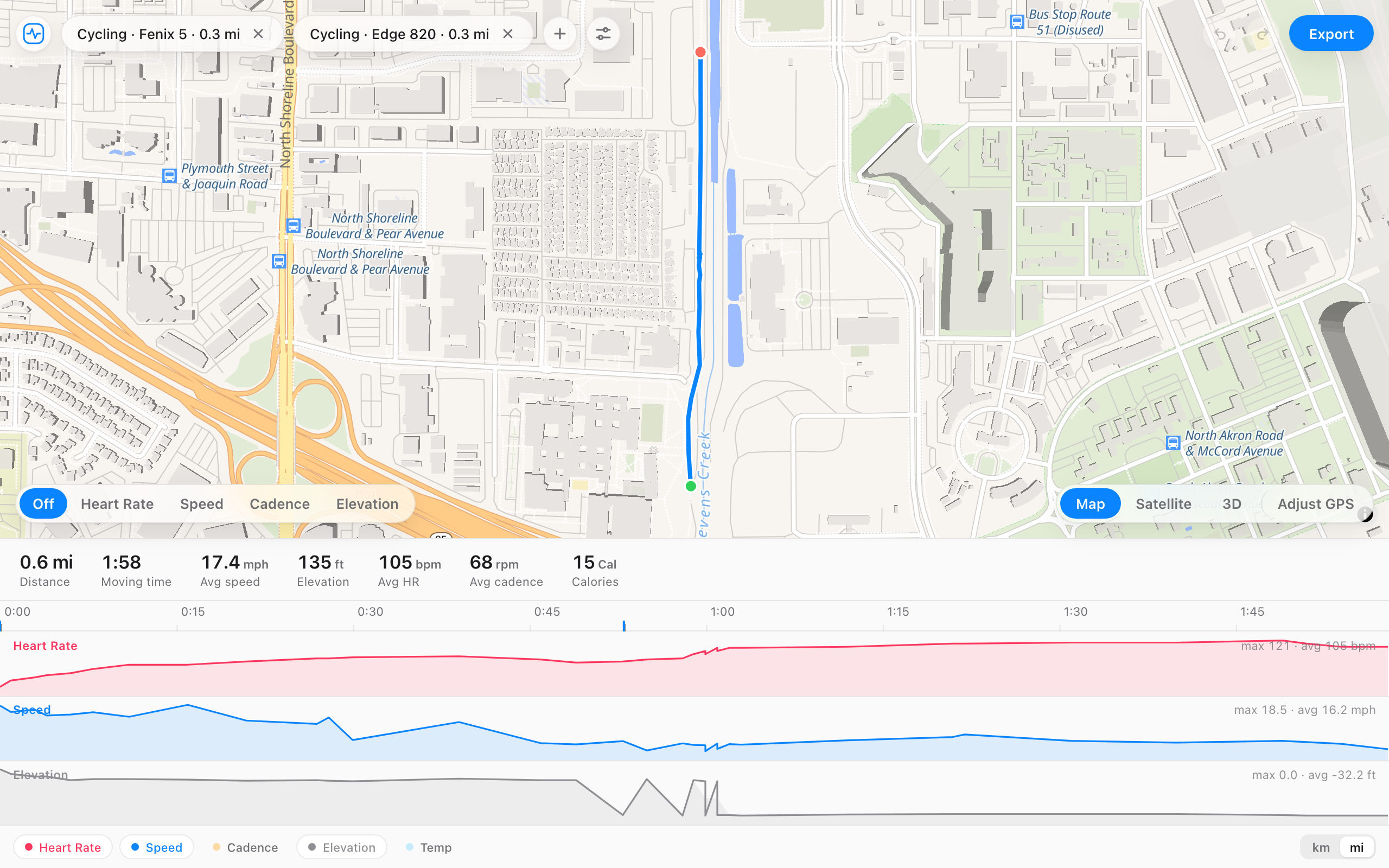
Add two or more .fit files and they line up on one timeline, in the order they were recorded. Export them as a single activity, with the distance carrying on across the join instead of starting over.
Two recordings from the day the watch died partway. Press Merge.
Two files, one activity.
When it helps
- Your Garmin or Wahoo died partway through a run or ride and you started a second recording.
- You stopped and saved by mistake, then started again.
- Strava has the workout as two activities and you want one. Strava can't merge them, but you can download both and join them here.
- You want a warm-up file and the main activity logged as one.
- You're joining the legs of a long route or a commute.
How it works
- Open the first file.
- Press the plus button and add the next one.
- Check the combined route and totals.
- Export one merged activity and upload it.
Questions
- My watch died and I restarted. Can I join the two files?
- Yes, that's the most common reason to merge. FIT File Editor lines both up on one timeline and exports them as one activity.
- Can I combine two Strava activities?
- Yes, in three steps. On each activity, open the menu and choose Export Original to download its .fit file. Add both files here and export one merged activity. Then delete the two originals on Strava and upload the merged file.
- Does the distance stay continuous?
- Yes. It carries across the join instead of resetting, so the total is right.
- Can I merge more than two files?
- Yes. Keep adding them and they line up in the order they were recorded.
- How is this different from a FIT file combiner like GOTOES?
- Same job, different approach. Most combiners upload your files to their server and show no preview. Here both recordings line up on one timeline before you export, and nothing leaves your browser. For joining 20 files at once, GOTOES is still the better pick.
- Can the files overlap in time?
- If they recorded the same ride on two devices, yes. Open one, then add the other, and the first file takes the heart rate, power, cadence, or GPS it was missing from the second. Values the first file already has stay as they are. If the second device has nothing new but kept recording after the first stopped, or started before it, that extra time is joined on as its own clip.