Crop a FIT file
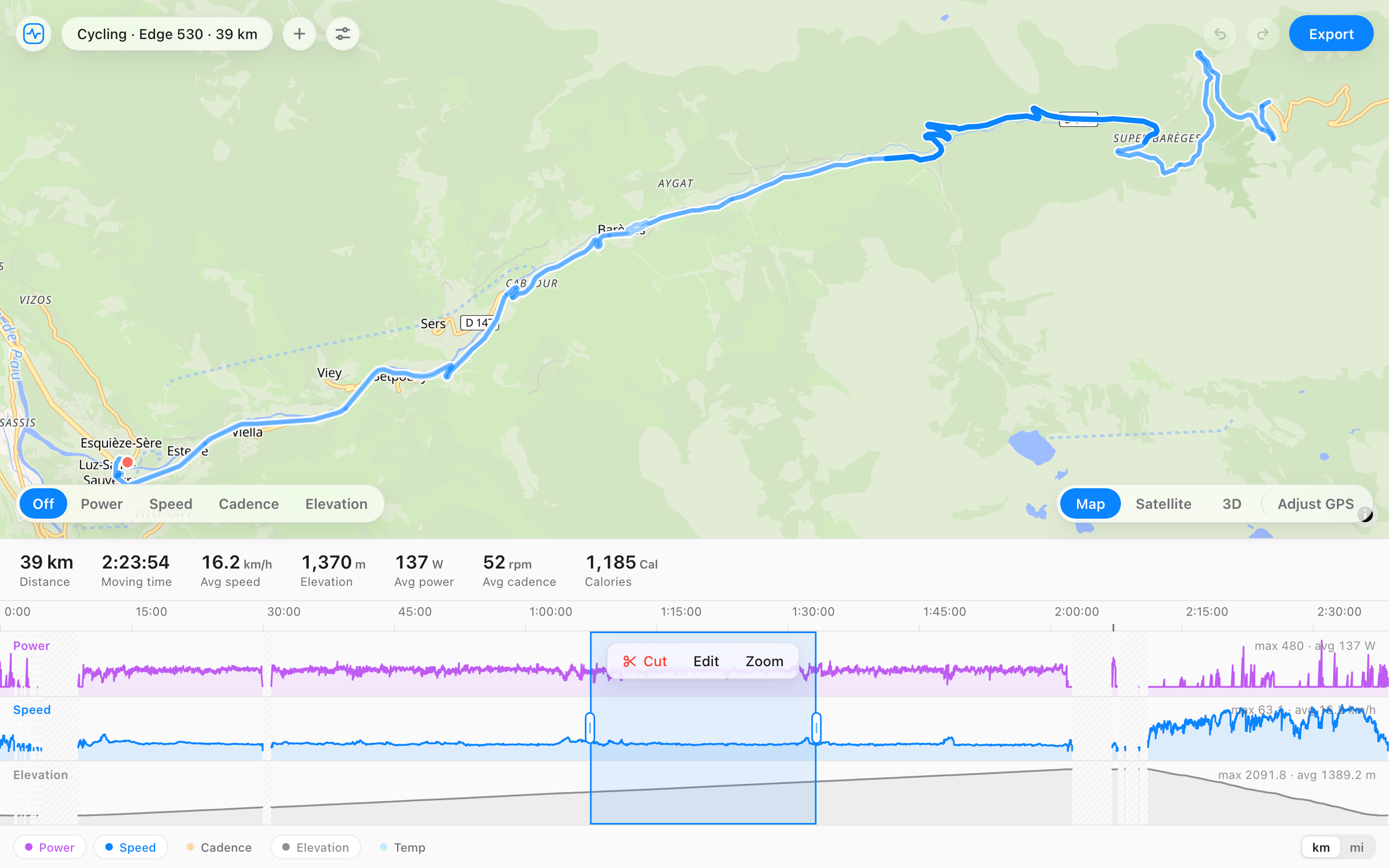
Open a .fit file, drag across the part you want to remove, and cut it. You can take off the start, the end, or a section from the middle. The totals are recalculated, so you get a clean file to upload again.
A run with the drive home still on it. Drag across the flat tail, then press Cut.
The whole product, in one gesture.
What you can take out
- A few minutes of standing around at the start or the end.
- The drive home you forgot to stop recording.
- A section from the middle, like a long stop or a wrong turn.
- A stretch where the GPS jumped and added distance you didn't cover.
How it works
- Open your file, or drag it onto the page.
- Drag across the part you want to remove on the timeline.
- Press Cut. The laps and totals update around the gap.
- Export the file and upload it again.
Questions
- Can I cut out the middle, not just the start and end?
- Yes. Drag across any section and cut it. Strava only trims the ends, which is why people use a separate tool for the middle.
- Will Strava and Garmin Connect take the edited file?
- Yes. FIT File Editor exports a valid .fit file with the totals recalculated. Delete the original upload first so the activity doesn't show up twice.
- Does the file get uploaded anywhere?
- No. The edit happens in your browser, so the file stays on your computer.
- Is it free?
- Yes, and there's no account.