Fix the data in a FIT file
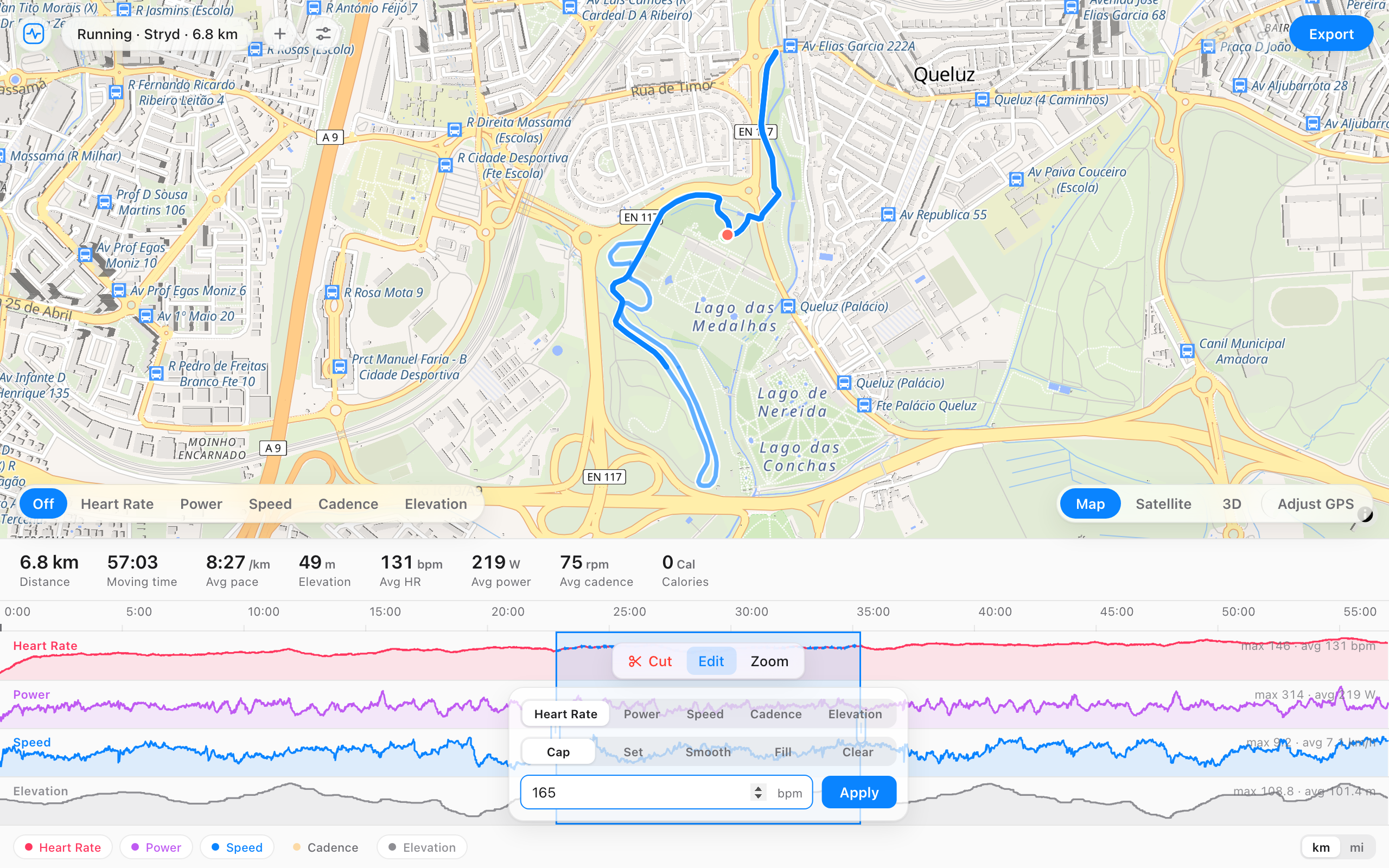
Select any part of the activity and fix the numbers there. Cap a heart rate spike, smooth a power dropout, redraw a stretch of GPS, or correct the elevation, then export a clean file. The rest of the activity is left alone.
A heart rate trace with a spike from a dry strap. Drag across the spike, then press Smooth.
Bad data never survives contact with a drag.
What you can fix
- A heart rate spike from a dry strap or a loose chest belt.
- A power dropout, or a meter that read high after a bad calibration.
- Elevation that's off because the barometer drifted.
- A cadence or speed sensor that cut out for a stretch.
- A GPS track that wandered off the road, or a single stray point.
How it works
- Open your file and drag across the part you want to fix on the timeline.
- Pick the data to change: heart rate, power, speed, cadence, or elevation.
- Choose how: cap a ceiling, smooth it, set a value, fill a gap, or clear it.
- For the GPS track, turn on Adjust GPS to drag, smooth, or delete a point.
- Export the corrected file and upload it.
Questions
- Can I fix just one part of the activity?
- Yes. Drag across the section you want and the change applies there only. The rest of the activity is untouched.
- How do I get rid of a heart rate spike?
- Select the spot, pick heart rate, and cap it to a sensible maximum, or smooth it. The average updates to match.
- Can I fix the elevation or the GPS track?
- Yes. You can smooth or correct elevation over a selection, and in Adjust GPS mode you can drag a point back onto the road, smooth a stretch, or delete a stray fix.
- Can I correct the total distance?
- Yes. Open the details panel next to the file name and type the real total. Distance, speed, and pace scale across the whole activity, which fixes a treadmill run, an indoor ride, or a wrong wheel size.
- My file won't open or upload at all. Can this fix it?
- That's a repair rather than a data fix. Open the file anyway: the editor recovers every record it can read, drops the damaged part, and exports a clean file. The repair page walks through it.
- Will the totals stay right?
- Yes. FIT File Editor recalculates averages and maxes from the edited data, and the export is a valid .fit file.