Convert GPX to FIT
Open a .gpx file and it becomes a FIT activity, with the track, the elevation, and any heart rate, cadence, or power it carried. Check it on the map and timeline, fix what you need, and export a .fit file that Strava and Garmin Connect accept.
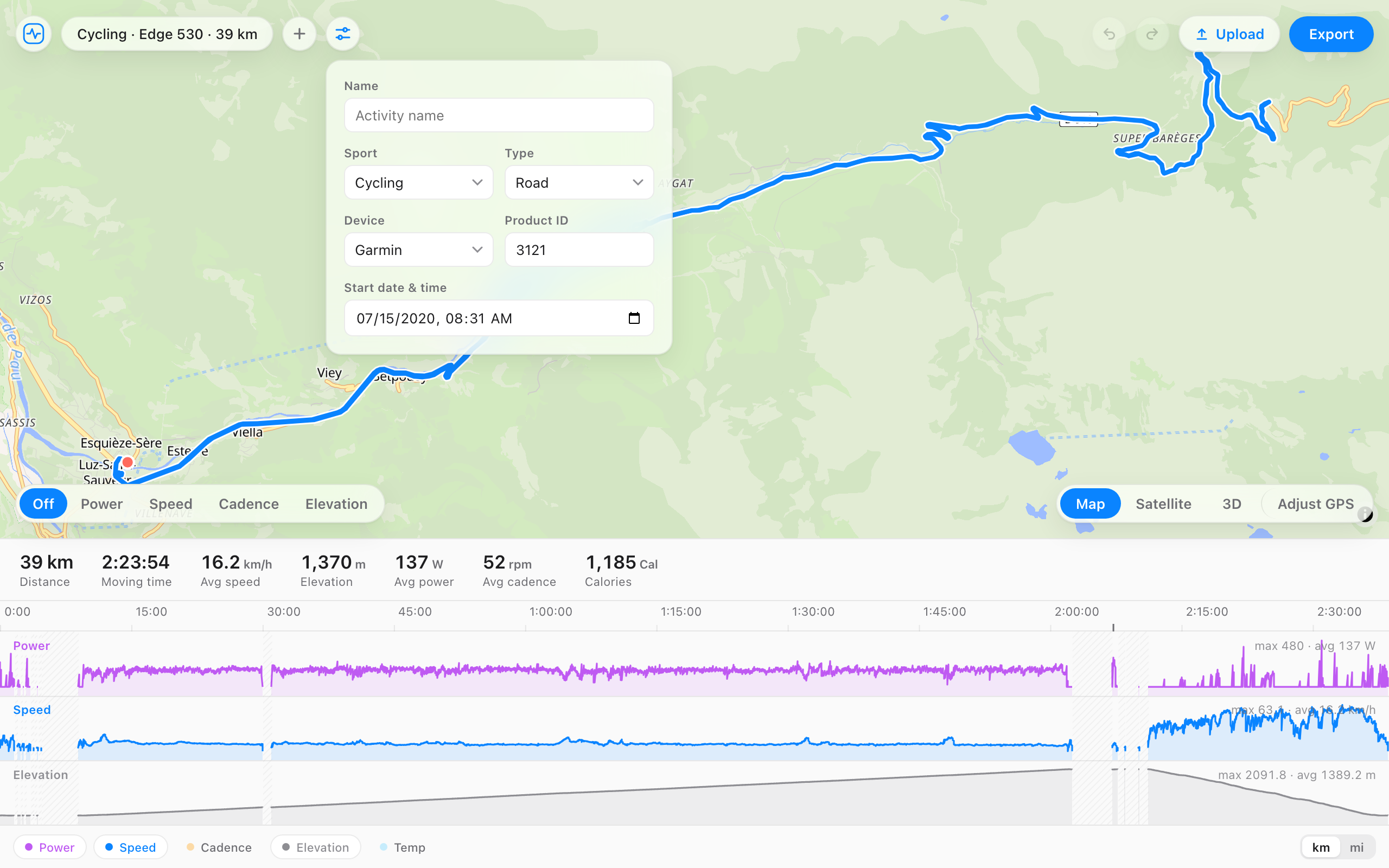
How to convert
- Open the .gpx file, or drag it onto the page. It opens as a FIT activity on the map and timeline.
- Fix anything you want first: cut a section, cap a heart rate spike, or set the sport and device in the details panel.
- Press Export to download the .fit file.
What carries over
| From the GPX | In the FIT file |
|---|---|
| Position and time | Kept for every point that has a timestamp, one record per second. |
| Elevation | Kept. |
| Heart rate, cadence, power, temperature | Kept when the GPX carries them as extensions, which most watch and app exports do. |
| Distance and speed | Calculated from the GPS track. GPX doesn't store them. |
| Sport | Read from the track's type tag: running, cycling, hiking, walking, swimming, rowing, or skiing. Anything else comes in as generic. |
| Laps | One lap for the whole activity. GPX has no laps. |
| Device | GPX doesn't name one. Pick the real device in the details panel if you want it on the file. |
| Totals | Distance, time, averages, and maxes, calculated from the records. |
A GPX route or course with no timestamps has no activity in it, so it won't convert. Points without a time are skipped.
Why convert GPX to FIT
- The recording came from a phone app or an older GPS unit that only exports GPX.
- A platform or training tool you use reads FIT files, or reads more from them.
- You want the sport and device written into the file, so Strava and Garmin Connect file the activity correctly.
- You want to clean it up on the way: cut the drive home, cap a heart rate spike, or smooth a GPS jump. Most converters only convert.
Your file stays on your computer
The conversion runs in your browser. The file, its route, and its heart rate are never uploaded, so there's nothing to delete afterwards. Many online converters send the file to their server to do the same job.
Questions
- Can I edit the activity before I export the FIT file?
- Yes, and that's the difference from a plain converter. The GPX opens in the full editor, so you can crop any section, fix heart rate or elevation, drag a GPS point back onto the road, and change the sport, device, or start time before you export.
- Will the FIT file have laps?
- One lap covering the whole activity. GPX has no laps to carry across, and the converter doesn't invent them.
- My GPX is a planned route. Can it become a FIT course?
- No. This converts recorded activities, and a planned route has no timestamps, so there's no activity in it. Garmin Connect can import a GPX route as a course and send it to your device.
- Why is the heart rate missing?
- The GPX didn't carry it. Heart rate in GPX lives in an extension, and some exports leave it out. If the original recording was a FIT file, convert or edit that instead: it holds everything.
- Will Strava and Garmin Connect accept the converted file?
- Yes. The export is a valid .fit file with the totals calculated. If the activity is already on your account, delete it first so it doesn't show up twice.
- Is it free, and does the file get uploaded?
- Free, no account, and the file never leaves your browser.